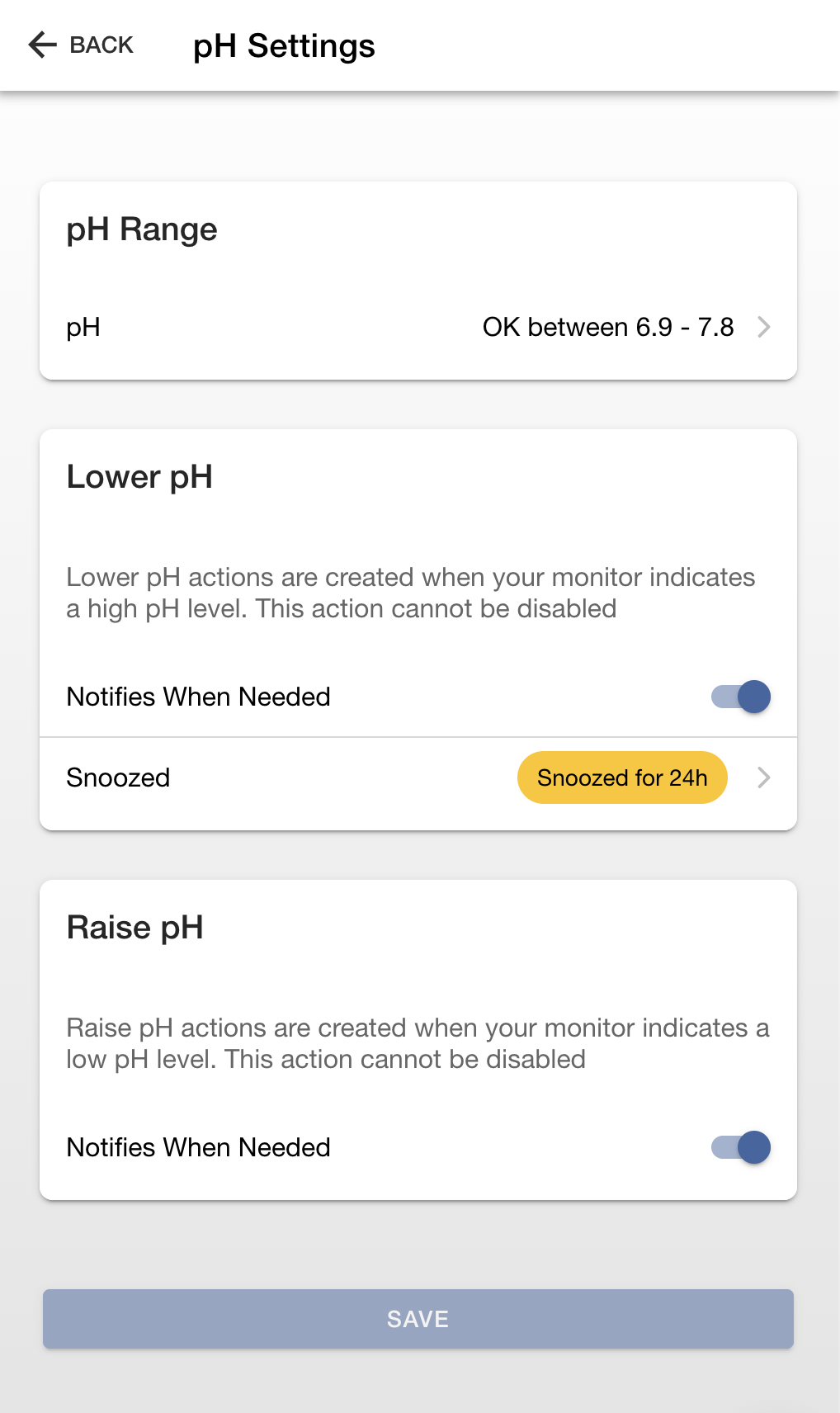
The Crystal app allows you to customize your water care action settings. These settings include:
- Adjustable Reading Levels - Control the levels used to create water care actions as your water changes.
- Enable/Disable - Turn off actions you'd rather not see.
- Notifications - Controls which actions are counted when the system is deciding whether or not to send you a push notification. Stop being alerted for less important actions.
- Unsnoozing - You can cancel/end a snoozed action if you wish for it to return so you can complete it.
- View Action History- Once you completed an action you can see the history of previous completions.
Note that some actions, like pH and ORP actions, cannot be disabled because they are critical to the safe operation of your pool or hot tub.
 |  |
Adjusting Reading Levels
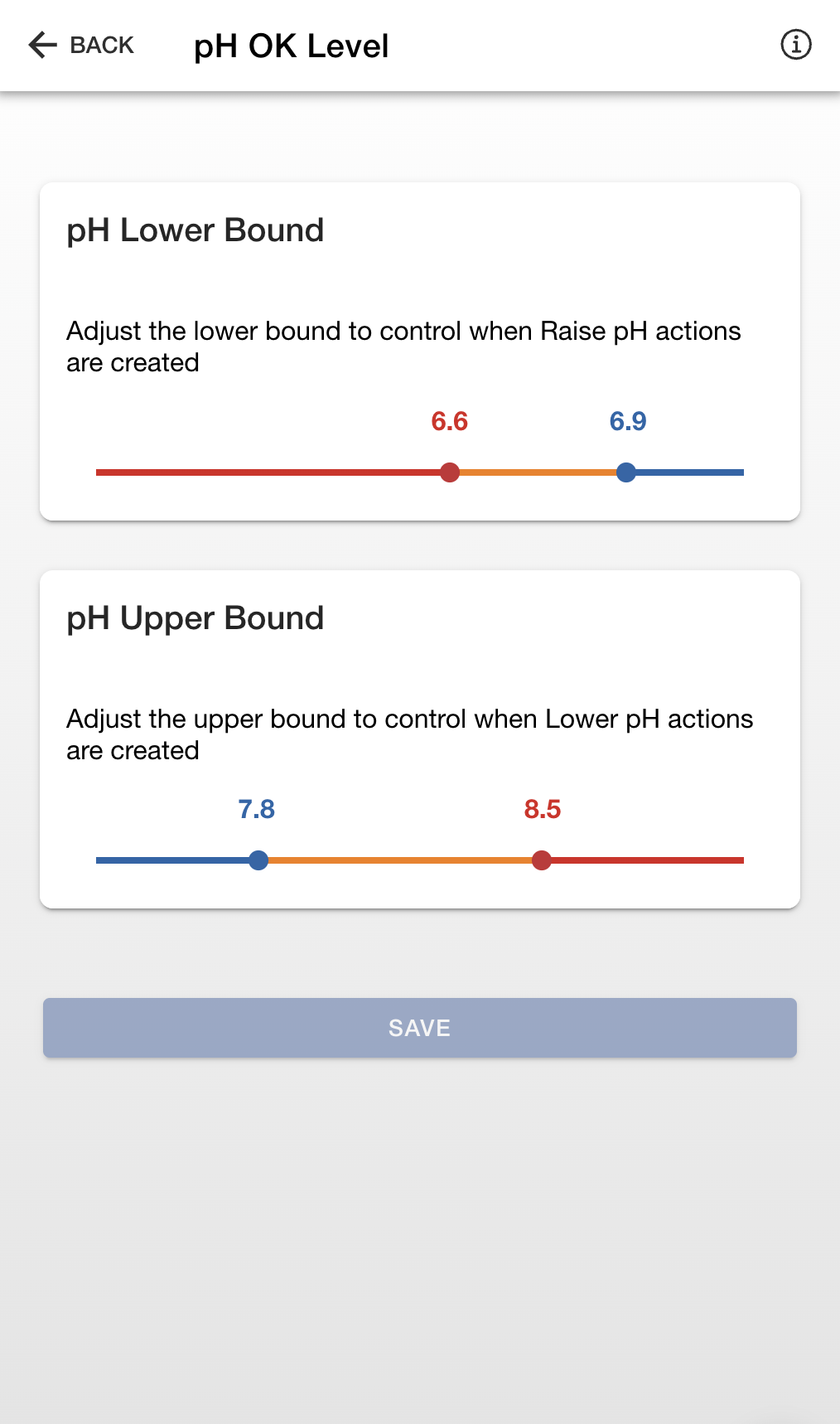
Drag the sliders to control when actions are first created (orange) and when they become more serious (red). Note that each type of reading has different requirements for the spacing of these settings. You may notice that you can't make the orange zone too small. Doing so would create issues so the app won't allow it.
Note that some readings, like pH, TA, etc., have two bounds: lower and upper. This is mostly due to the fact that its difficult to fit a single slider with lower and upper onto a narrow mobile display. You can picture these two sliders as if they are aligned next to each other and you're controlling the width of the blue OK area and the orange bars on either side.
Enable/Disable
If you'd rather not receive a particular action you can disable it. When disabled, you will not longer see that action in the app or be notified when it's needed. Note that not all actions can be disabled.
Notifies When Needed
If you don't mind seeing an action but don't want the system to notify you when it's need you can turn off Notifies When Needed. Once this is off, the system will no longer count that action when deciding if a notification is needed or not.
Unsnooze an Action
If you've snoozed an action and would like to cancel the snooze to bring it back, click the Snoozed row and choose End Snooze.