If you need to add another email address to your account, please follow these steps.
First make sure you have download the latest mobile app from the App Store and follow these steps:
1. Open the Crystal Water Monitor Mobile App and go to your Account Settings Screen. 2. Tap on + Add, to get to the screen where you can add your regular email address to your account. | 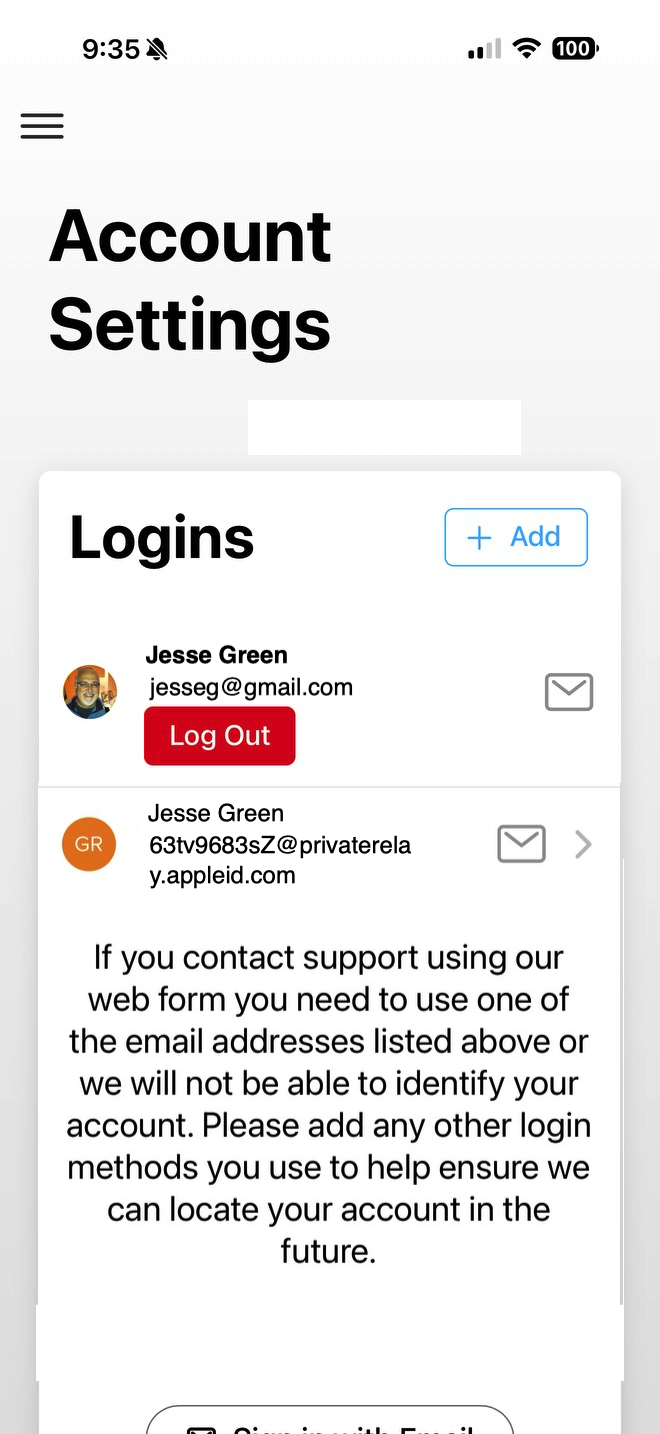 |
| 3. This screen is where you would add the new email address along with your chosen password and tap on "Continue" to get this attached to your account. | 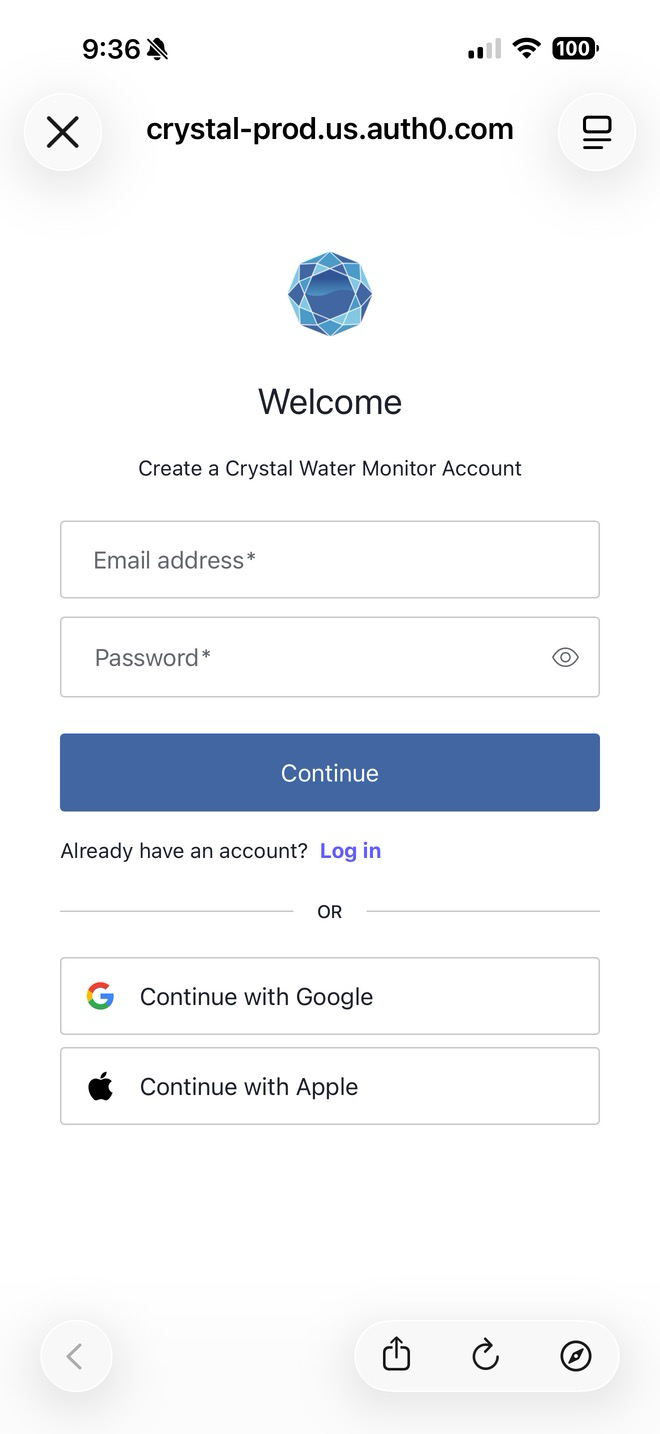 |